Settings
The workspace-wide defaults every campaign starts from — your display name, the enrichment persona, and the default send schedule.
Settings holds your plan and usage, plus workspace-wide defaults. Most of the defaults can be overridden per campaign — this is just where they start.
Plan & Usage
At the top of the page: your current plan, and a meter for each of the four limits it sets — Flinter Credits, Emails sent this cycle, Active contacts, and Uploaded contacts. Each meter shows what you've used against your allowance and what happens if you reach it.
When any credits are currently reserved for work in progress, the Credits meter says so — that's why available can read lower than allowance minus spent.
On a trial, this panel also shows how many days remain and which plan you'll move to afterwards.
Below the meters are the controls for your plan:
- Upgrade to Lite (monthly) / Upgrade to Pro (monthly) — starts a checkout. A monthly / annual switch sits above the buttons, and the button label follows whichever you pick.
- Switch to Lite (monthly) / Switch to Pro (monthly) — shown instead once you're on a paid plan. Flinter quotes the cost before anything is charged.
- Manage billing — opens your billing account to update your card, see your billing history and download invoices.
- Downgrade to Free — lists exactly what it will change before it's scheduled.
- Refresh billing status — re-checks your subscription with our payment provider. You shouldn't normally need it; it's there if your plan ever looks out of date.
Underneath, the panel shows your subscription reference and its status, or says there's no subscription on file. Quote that to us if you ever contact support about billing.
Full detail on each of these, and on what happens if a payment fails, is in Plans and Credits.
The four limits are independent and don't fail the same way — running out of credits stops new AI drafting but not sending, while reaching your email limit stops sending. See Plans and Credits.
Profile
Your Display Name, saved with its own Save Changes button.
Workspace
Your Workspace Name, which Flinter derives from your email domain when you sign up and you can change whenever you like. Names don't have to be unique.
Below it, your Workspace ID with a Copy button. This is what identifies your workspace exactly, so quote it if you contact support.
A Setup guide link opens the same step-by-step checklist new workspaces see — the steps to a first campaign, and what to send an administrator if your mailbox needs approval. It stays here permanently, so it's still reachable after you've closed the setup strip or finished every step.
Enrichment
A Target Persona field describing who enrichment should research and write signals for, used across every campaign that hasn't set its own override. Save Changes is disabled until the field has something in it.
Any campaign can set its own Target Persona that overrides this workspace default — see Campaigns.
Send Schedule
The default Timezone, Send days (Mon–Sun checkboxes), and Send window (start and end time) every campaign sends within, unless that campaign overrides it in its own Settings tab.
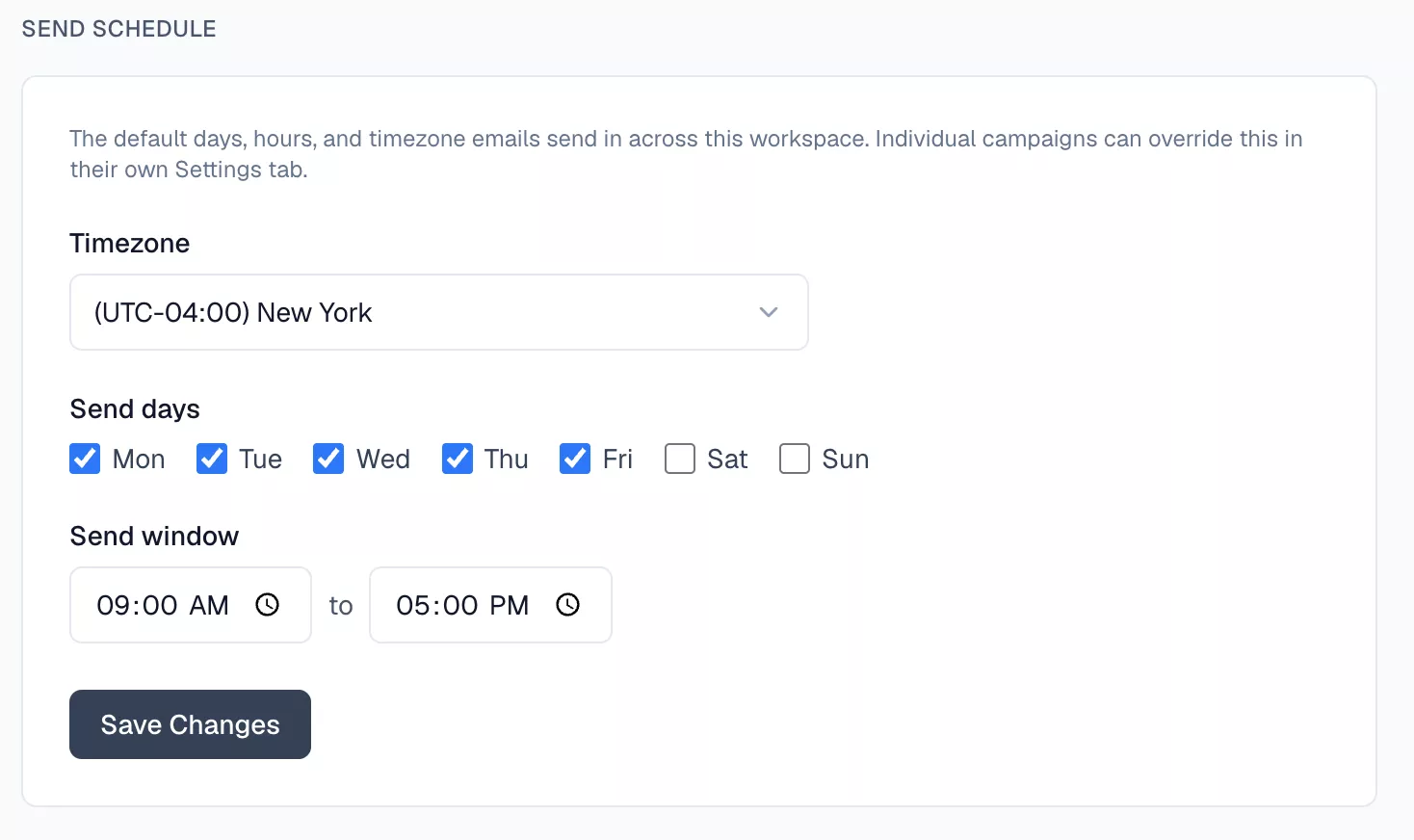
Timezones are listed by UTC offset and city — search by either, or by country. The stored value is the zone itself rather than a fixed offset, so a 09:00 send window stays at 09:00 local time across daylight-saving changes.
Related docs
- Plans and Credits — what each plan includes and how credits are spent.
- Campaigns — per-campaign overrides for persona and send schedule.
- Getting Started